Recent Developments in Codex
The pace of change for Codex has been remarkable recently. Following a major update for the desktop version, remote SSH capabilities, and the introduction of Computer Use and Chrome plugins, weekly active users have surpassed 4 million.
Today, OpenAI has integrated Codex into the ChatGPT mobile app. According to the official announcement, the mobile version of Codex is now available in Preview mode on both iOS and Android, supporting connections to macOS devices running Codex, while Windows support is still pending.
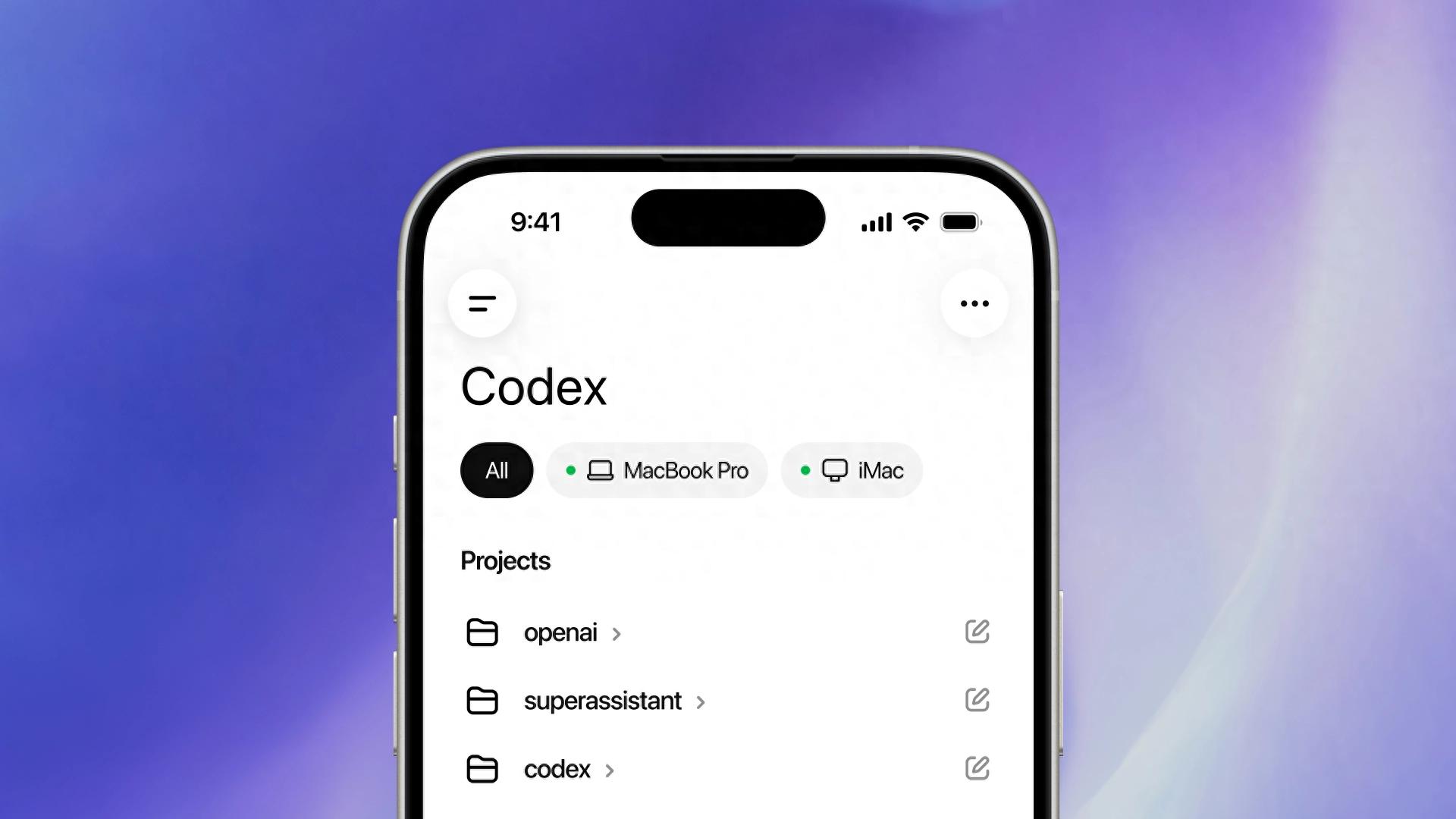
However, the Codex mobile version is more accurately described as an entry point to the desktop version of Codex on mobile. Users can access Codex directly through ChatGPT on their phones, connect to the running environment on their desktop, and initiate new requests for the desktop Codex to complete tasks.
In March, Claude Code launched a similar Dispatch feature, allowing users to command the desktop version of Claude Code via the mobile Claude app. Earlier, OpenClaw had already achieved this through integration with various IM platforms.
Mobile as a Second Entry Point for Codex
It is important to clarify that the Codex mobile version is not a standalone app. OpenAI has not released a separate Codex app for iOS or Android; instead, the entry point is integrated into the ChatGPT app, where users can find the “Codex” option in the sidebar.
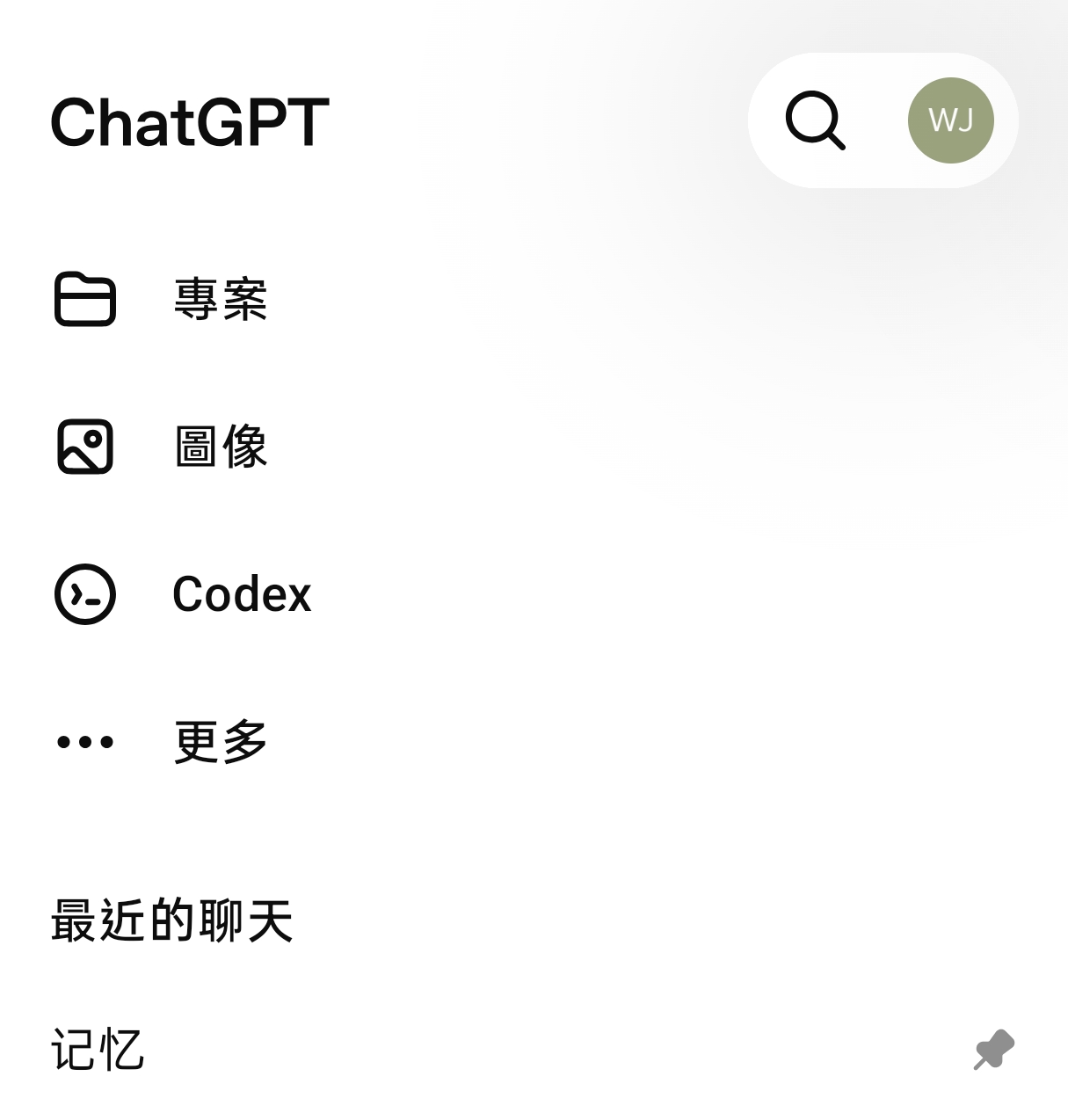
Thus, this update can be understood as enabling users to command the desktop Codex to execute tasks from within the ChatGPT app on their mobile devices.
This not only allows over 1 billion ChatGPT users to avoid installing an additional app, but more importantly, OpenAI has not created the Codex mobile version as a new development tool; instead, it has been incorporated into the unified ChatGPT entry point. For users, this means a shorter usage path: as long as both the desktop and mobile versions are logged into the same account, the ChatGPT app on mobile can easily connect to the macOS desktop running Codex.
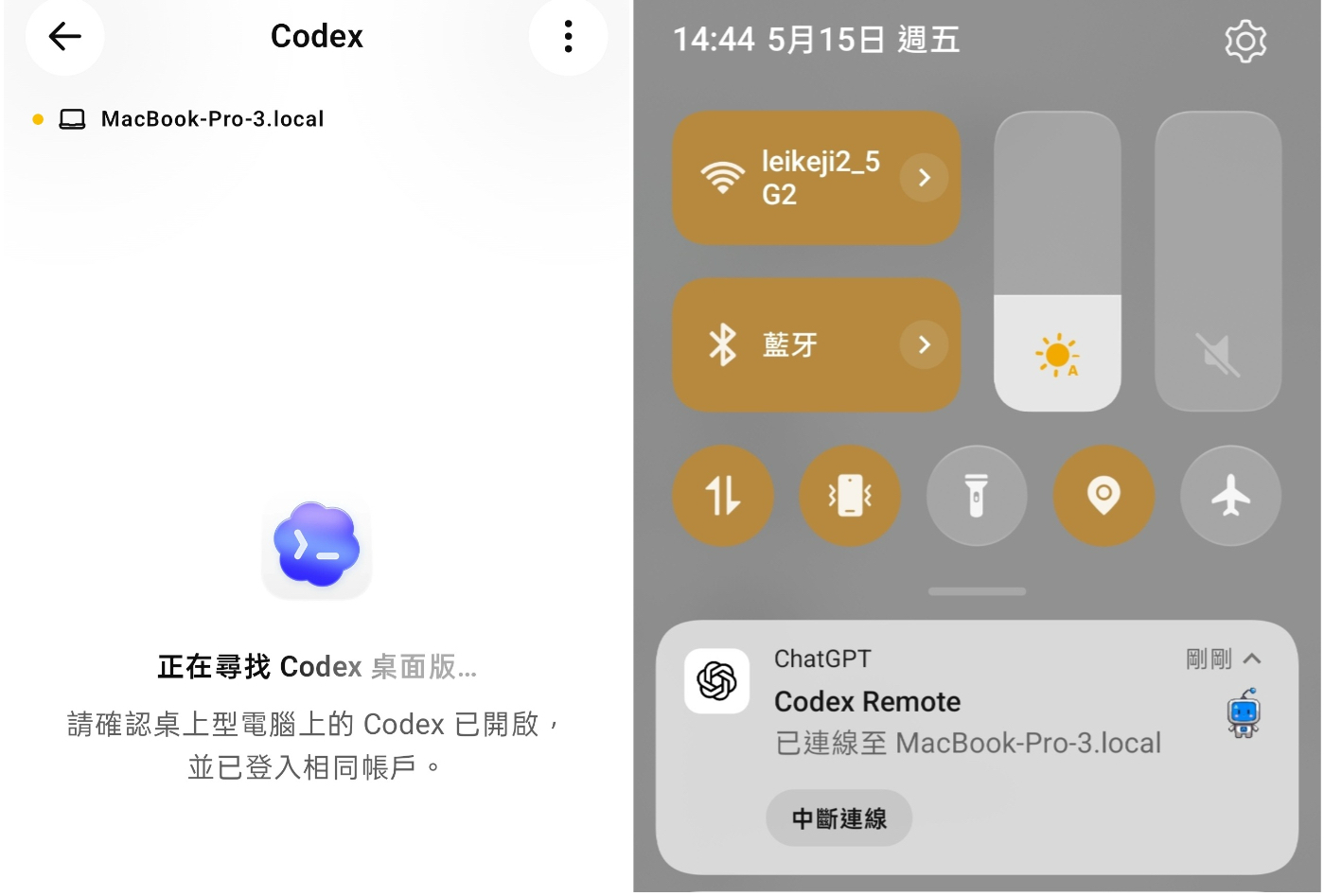
I connected Codex on my Android device to Codex on macOS, as shown in the image. The mobile version of Codex can now directly initiate new requests, allowing the desktop Codex to complete tasks. At this point, the phone acts more like a lightweight task control panel, where users can clearly state their requests, while the desktop Codex handles reading projects, executing commands, modifying files, and running tests.
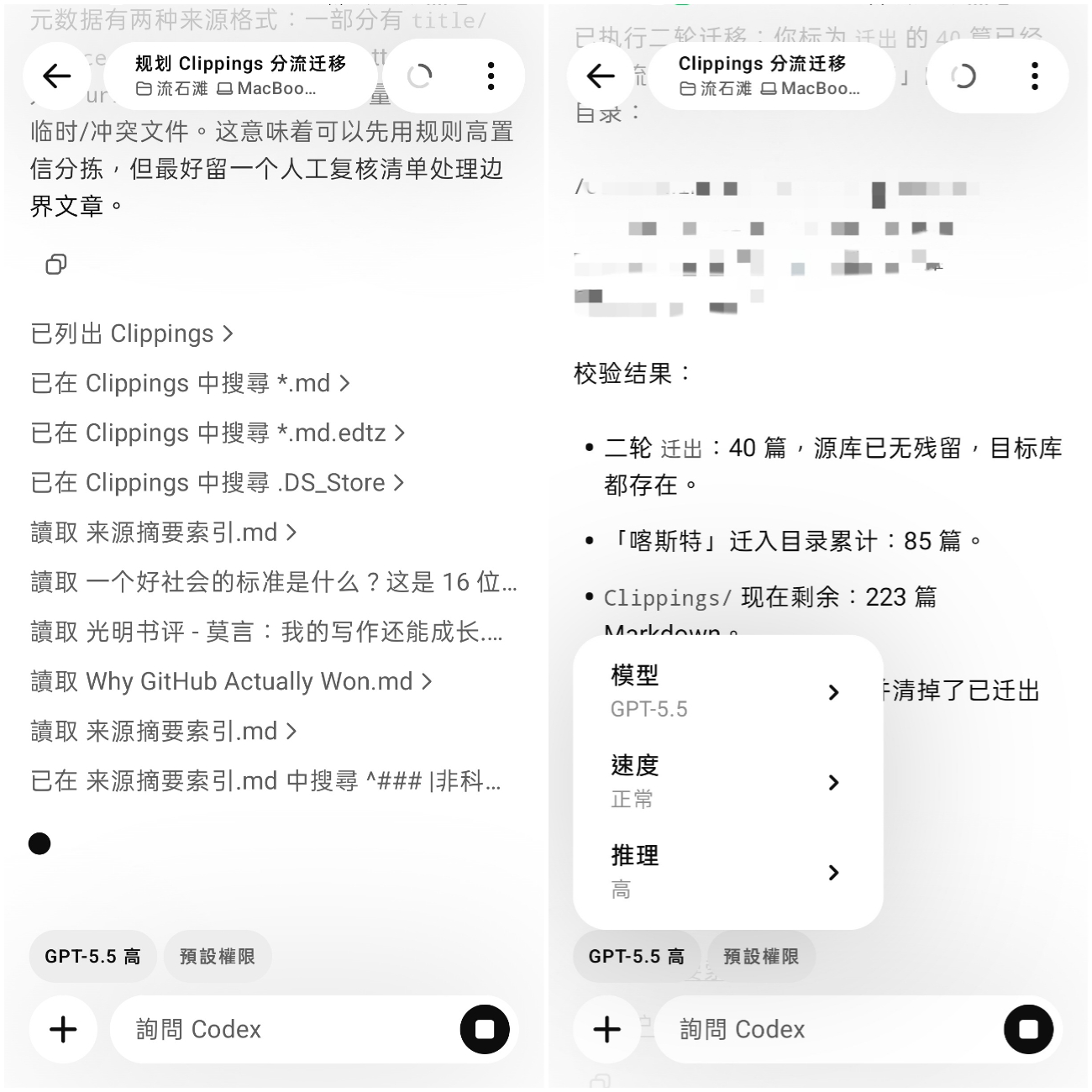
Simultaneously, the real-time status of the desktop Codex is displayed on the mobile device, including thoughts, operations, and results. This allows users to start directing Codex on their computers and check progress on their phones while on the go, or directly guide execution and push long tasks forward without being tethered to a device.
Additionally, users can directly adjust the model, speed, and reasoning level from their phones.
This division of labor is quite clever; given the limitations of mobile environments, performance, and screen size, mobile devices are not well-suited for running complex coding tasks independently. Instead, they serve better as a “anytime, anywhere” entry point for the desktop version.
The Codex mobile version has not simply replicated the desktop experience but has instead extracted the most suitable functions for mobile: initiating requests, viewing processes, batch operations, continuing conversations, and checking results. The complete thought process, operational steps, and execution results from the desktop Codex can be viewed on the mobile device; the only output that does not sync is the output files, which remain stored on the computer.
This handling is not surprising, as files and execution environments are inherently local, with the mobile version responsible only for syncing status and interaction, making it unnecessary to duplicate all outputs to the mobile device.
Moreover, the Codex mobile version can connect to multiple Macs simultaneously. For instance, if a MacBook Pro and a Mac mini are both running Codex, a single phone can manage the desktop Codex on different computers. This aligns well with the real workflow of such agent products.
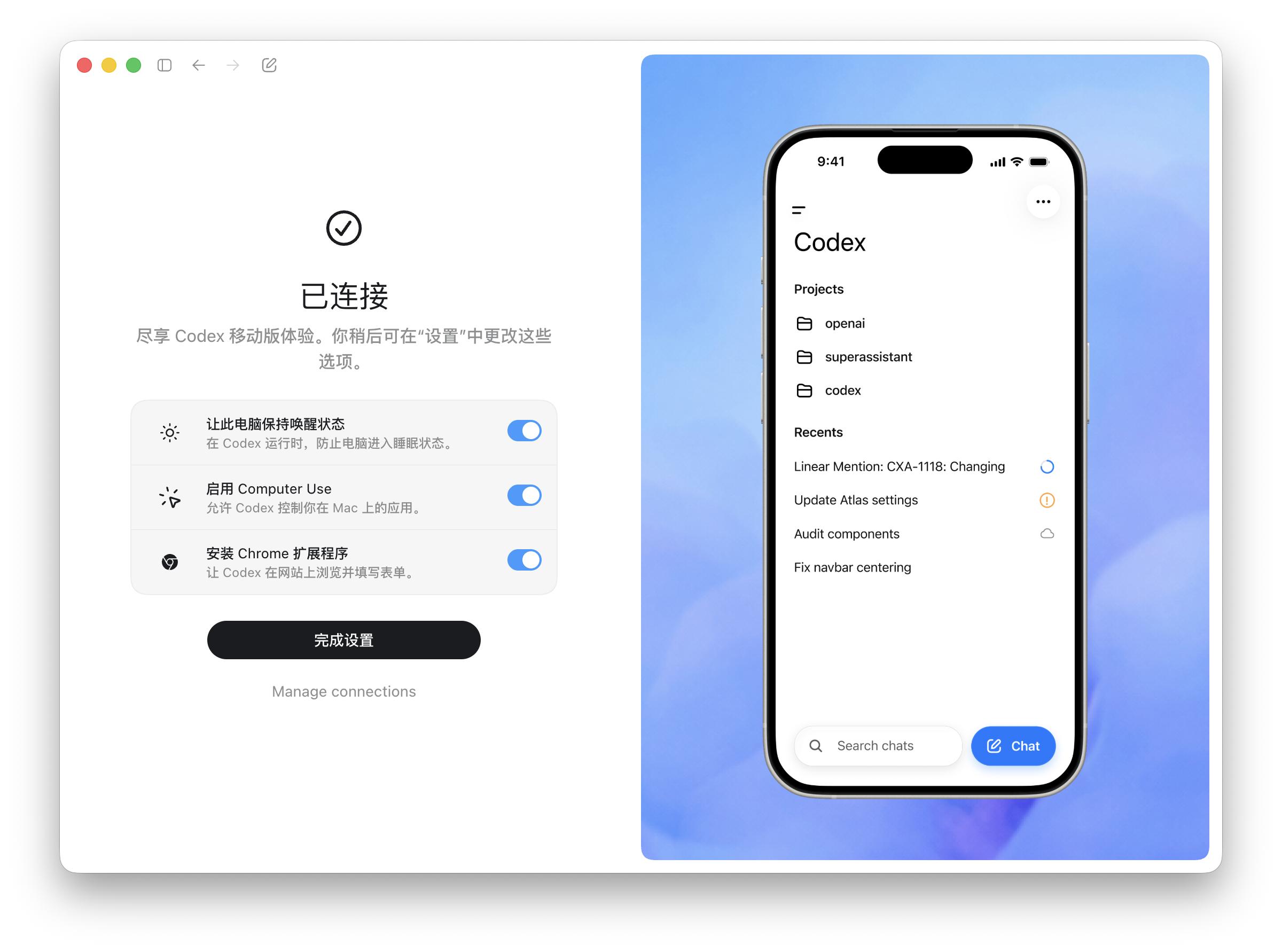
Many developers use more than one machine, with a portable MacBook handling daily projects and a Mac mini or remote environment running heavier tasks. Previously, these environments were often disconnected; now Codex at least begins to unify them under a single mobile entry point. Users can switch between different hosts on their phones, view progress on various tasks, and even distribute different requests to different machines.
However, the Codex mobile version still has some obvious areas for improvement, such as lacking support for editing conversations. This may seem minor, but it is quite important in mobile scenarios. Mobile input is more prone to typos, missing context, or realizing that a request was incomplete right after sending it.
For an entry point that can remotely schedule tasks on the desktop, the inability to edit conversations can make users more cautious and diminish the satisfaction of initiating tasks on mobile. This aspect definitely needs to be addressed in future updates.
The biggest pain point I encountered was the frequent need to reconnect on the mobile end. Sometimes, after composing a request on the phone, the connection drops, preventing the message from being sent.
Worse still, sometimes the desktop Codex is still running, yet the mobile version suddenly enters a reconnecting state, leaving the interface briefly blank. Since the actual task execution occurs on the desktop, such disconnections usually do not affect the running process or final results. However, from the mobile interaction perspective, this experience is indeed frustrating.
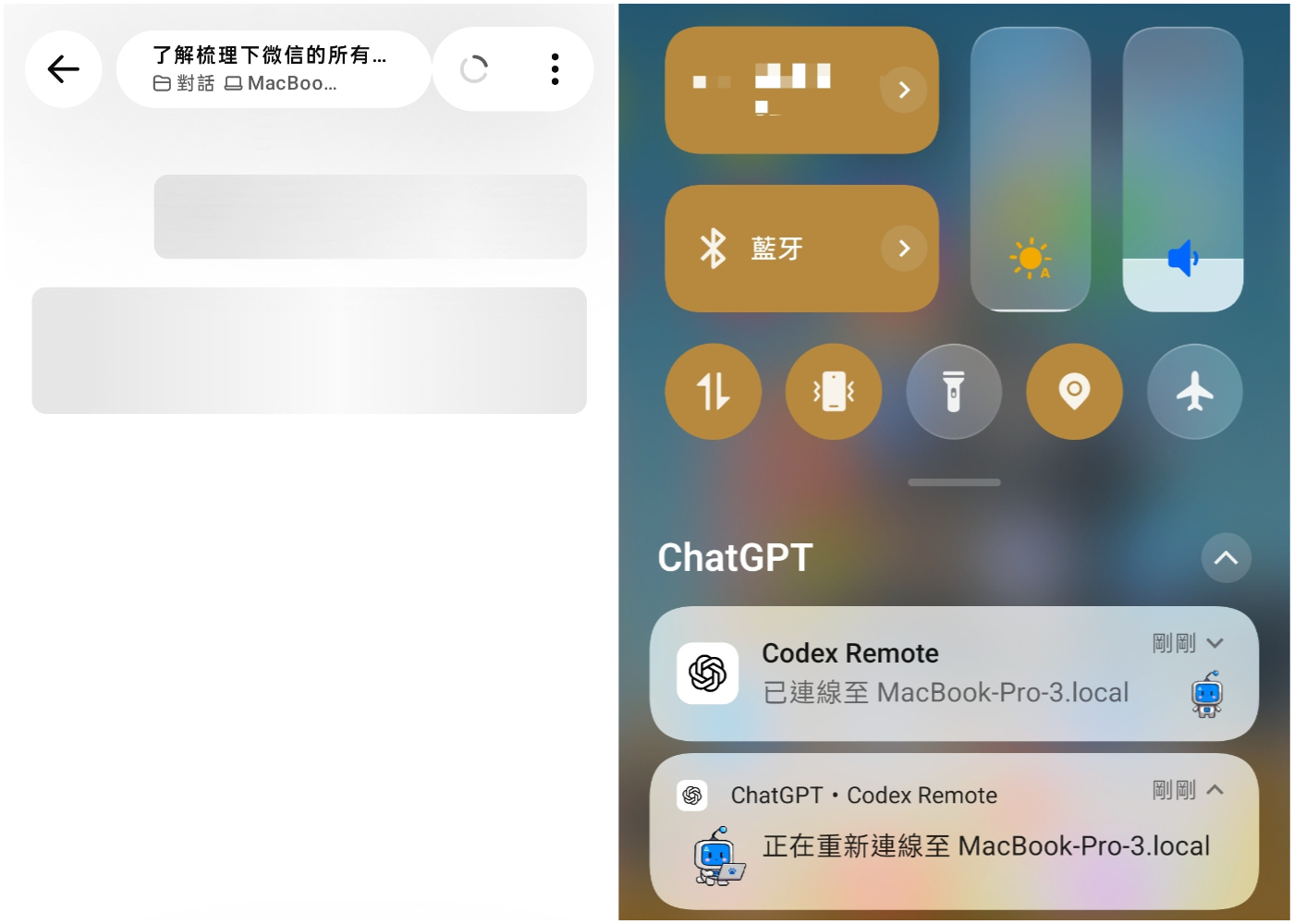
Fortunately, these issues seem more like stability problems during the Preview phase rather than conceptual issues with the product.
Additionally, the Codex mobile version does not only serve local desktop connections. It also supports connections to Codex in the cloud, expanding the coverage of the mobile entry point. Custom pet features from the desktop version can also sync to the mobile version. While this is not a core capability, it indicates that OpenAI does not view the Codex mobile version as a temporary remote viewing method but is genuinely building a new AI workflow and experience around Codex.
When considering the Codex mobile version within the broader context of agent products, it becomes even more interesting, especially regarding the understanding of agent experiences in mobile scenarios, which can differ significantly.
Mobile Access: Codex vs. OpenClaw
Currently, agent products generally support mobile access, allowing users to issue requests anytime, with agents calling tools, opening web pages, handling files, or completing processes, emphasizing “just ask the agent.” This naturally fits mobile scenarios, as many requests originate from mobile contexts.
There are generally a few approaches. One is open-source agent tools like OpenClaw and Hermes, which support integration with IM platforms, allowing users to throw requests at agents via popular chat apps anytime, anywhere. The recent surge in popularity of various “lobster” agents is largely due to this feature.
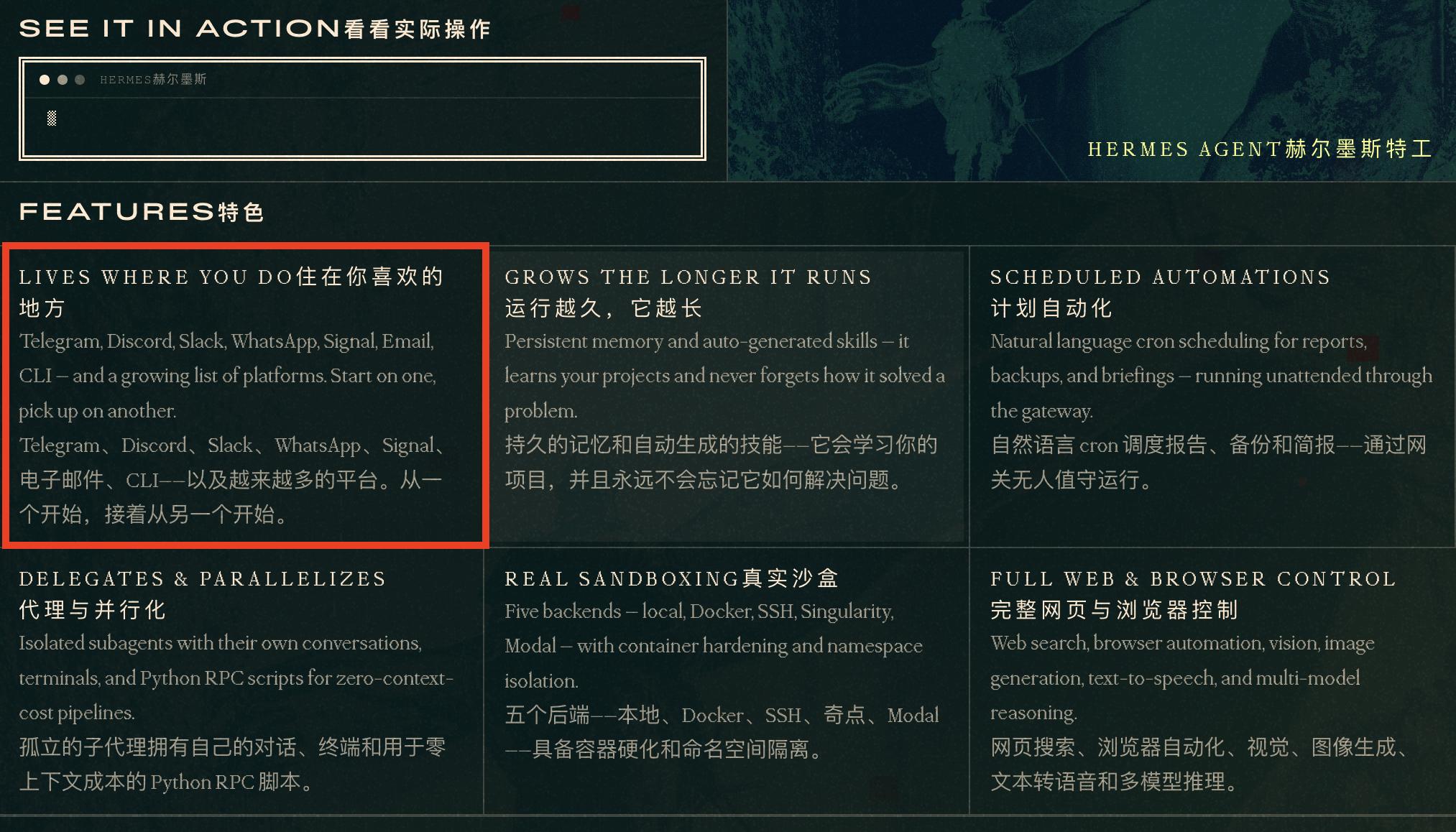
Another approach is to bring the desktop agent workflow to mobile, enabling users to continue monitoring tasks, issuing commands, and making confirmations while on the go, as is the case with Claude Code and the current Codex.
However, even though both approaches allow users to “use agents” on mobile, the experience focus differs significantly. On OpenClaw or Hermes, there is no need to understand a complex new client, nor do users need to switch to a dedicated development tool; they simply send requests to bots in WeChat, Feishu, or Telegram like sending messages to friends.
For ordinary tasks, this experience can even be smoother than opening a dedicated app. Especially for agents emphasizing long-term memory, automation, and multi-tool invocation, IM entry points are naturally suited for handling tasks like “remind me,” “help me check,” “continue following up,” or “execute a certain process” across time and scenarios.
However, using IM as an entry point has its drawbacks. Conversations can carry task requests, but they struggle to convey complex process statuses. Information about what tools the agent is calling, what stage it is at, what files have been modified, whether tests have passed, and whether a certain strategy is reasonable can quickly become cluttered when presented through chat bubbles.
For general agents, this may not be a fatal issue; however, for AI coding, the process itself is part of the product experience. Users need to know not only that a task is “completed” but also how it was done, where it failed, and what the next step should be.
In contrast, the mobile implementations of Claude Code and Codex are quite different. They do not opt for IM bots but instead start from the mobile apps of Claude/ChatGPT, making them more suitable for complex tasks compared to the chat entry points of Hermes and OpenClaw.
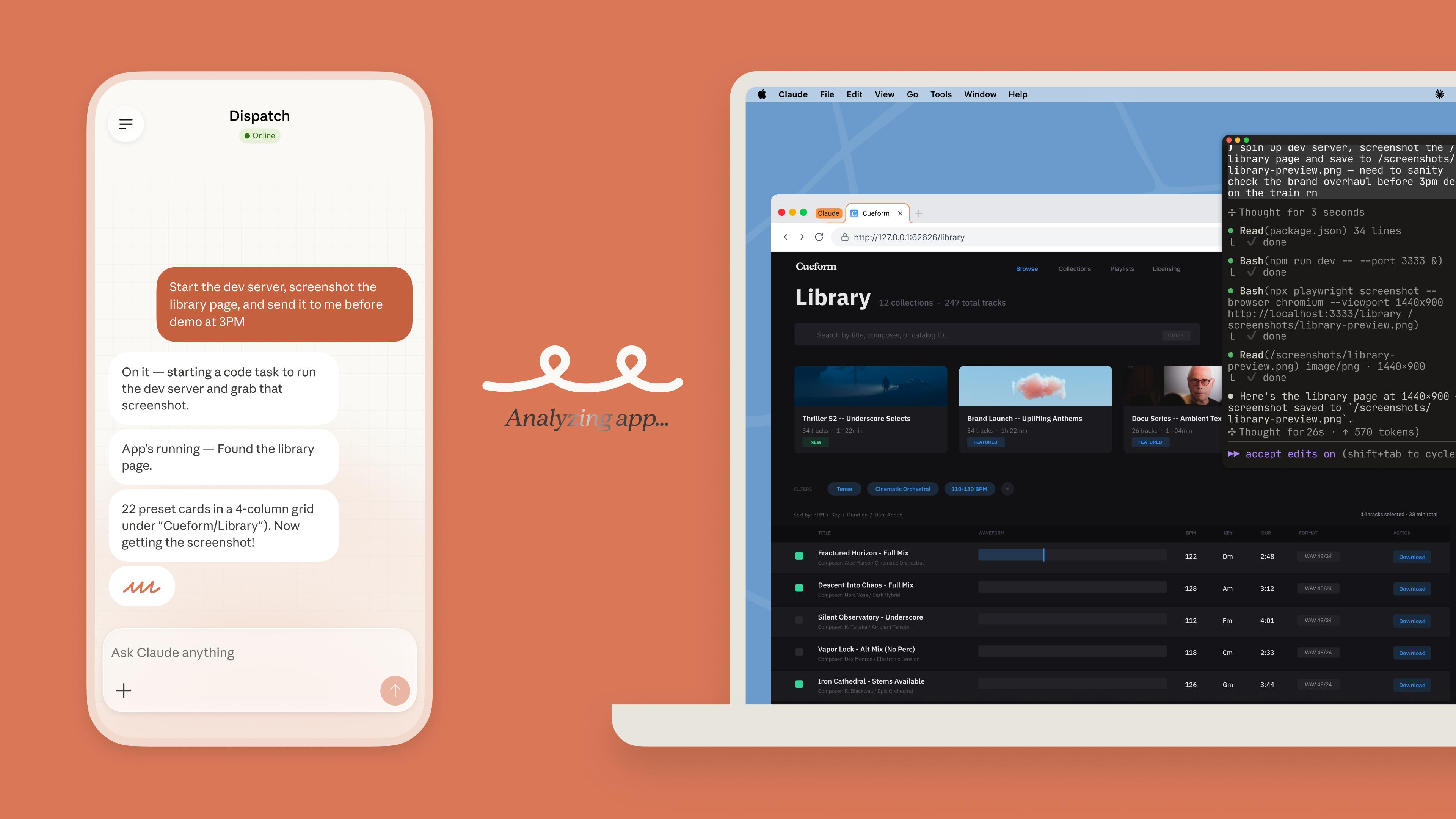
However, Claude Code’s dual-end connection relies more on Dispatch, resembling the IM approach of OpenClaw or Hermes, enabling users to “command” the desktop Claude Code from their mobile devices. In contrast, the Codex mobile version directly syncs desktop conversations, including real-time synchronization of thoughts, operations, and results from the desktop version.
In summary, the transition between desktop and mobile scenarios for Codex is much more seamless and natural, which may also explain why the occasional reconnection issues are more frustrating.
Conclusion
The Codex mobile version is certainly not yet mature. Truly complex code reviews, architectural judgments, and high-risk changes still require developers to return to their computers to complete. For ordinary users, this entry point is unlikely to see frequent use like ChatGPT conversations in the short term.
However, the direction is clear: OpenAI is increasingly viewing mobile as a dispatch entry point for agents. This judgment is crucial because as the capabilities of these AI coding agents become unquestionable, the next challenge is to make these capabilities easier and more natural to access and use, making product interaction design a new key focus.
Comments
Discussion is powered by Giscus (GitHub Discussions). Add
repo,repoID,category, andcategoryIDunder[params.comments.giscus]inhugo.tomlusing the values from the Giscus setup tool.